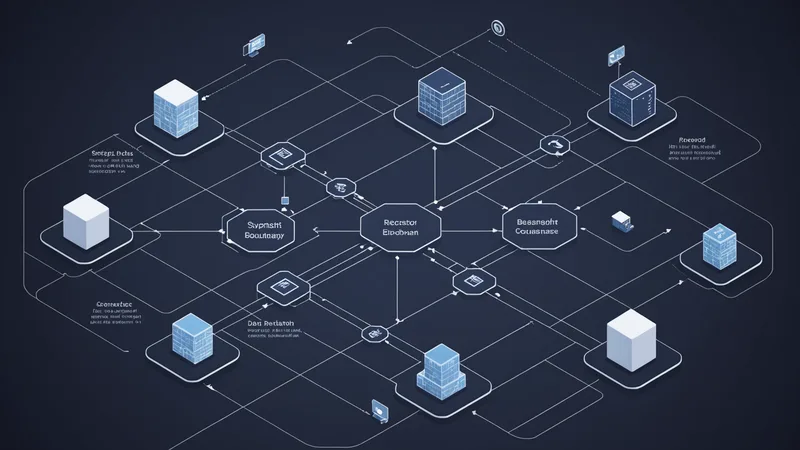
When we started building dodoAI in 2024, we assumed that the hardest part of enterprise AI deployment would be the model side: getting inference to run at acceptable speed inside a private network, managing memory constraints on commodity server hardware, keeping outputs accurate enough for autonomous process decisions. Those problems turned out to be solvable. The harder problem — the one that actually stalls deployments — is ERP integration.
The issue isn't conceptual. It's the gap between how AI tooling was designed and how enterprise systems actually communicate. Most agent frameworks assume the world runs on REST. They ship HTTP clients, JSON parsers, and OAuth libraries. That's fine if your ERP is a modern SaaS product installed last year. It's not fine if your ERP is SAP ECC 6.0, Oracle E-Business Suite, or a Japanese domestic ERP from a company like FujitsuGLOVIA or TKC, all of which are common here in Kansai manufacturing environments.
This post describes what ERP integration actually looks like in practice: the protocols we encounter, the adapter layer we built, and the specific failure modes we've learned to anticipate.
Why REST Assumptions Break Against Real ERP Stacks
Modern ERP systems from the last five to seven years have invested heavily in REST APIs. SAP S/4HANA ships with the SAP API Business Hub. Oracle Fusion exposes OData endpoints. Workday has a well-documented API layer. If you are connecting to one of these, the integration is closer to what agent frameworks expect.
But the installed base in mid-size Japanese manufacturing enterprises looks different. The average ERP at an Osaka-area parts supplier was deployed between 2008 and 2015. Upgrading to S/4HANA costs money, requires months of downtime planning, and often requires retraining finance teams who have worked in ECC for a decade. The economics of that migration aren't obvious for companies with 200 to 800 employees. So the old ERP stays.
Old SAP ECC exposes two primary integration surfaces: RFC (Remote Function Calls), which use the SAP proprietary protocol over TCP, and SOAP-based web services built on top of the ABAP function module layer. Some organizations have also exposed BAPI interfaces, which are essentially RFC wrappers with a more stable API contract. None of these are REST. None return JSON natively. The SAP SOAP envelope format is verbose, namespaced, and sometimes carries binary data as base64 within XML fields.
Oracle E-Business Suite, even the more recent R12.2 releases, relies heavily on SOAP web services and PL/SQL-based APIs. If a company hasn't implemented Oracle REST Data Services (ORDS), the only programmatic access path is through the SOA Gateway or direct SOAP calls to the concurrent processing layer.
JDBC is a separate category. Some organizations bypass the ERP's own API layer entirely and give integration systems direct database access. This is common with Japanese domestic ERP products that don't have sophisticated API surfaces at all. We've seen this with Oracle DB backends, with SQL Server, and with the occasional Sybase instance that someone's been running since the early 2000s. Direct JDBC access means you're reading and writing directly to tables, which requires you to understand the ERP's data model deeply enough to not corrupt referential integrity.
The Adapter Layer We Built
We solved this by building a protocol adapter layer that sits between the agent runtime and the ERP. The agent itself speaks a normalized internal API — effectively a domain model for enterprise operations like "create purchase order", "query approval status", "update vendor record". The adapter translates those normalized calls into whatever the ERP needs.
For SAP SOAP interfaces, the adapter constructs the correct SOAP envelope, manages the WSDL parsing to understand parameter shapes, handles the SAML or basic auth mechanisms SAP uses depending on configuration, and parses the response XML back into a structured format the agent can consume. In practice, WSDL from older SAP systems is frequently underdocumented — parameter names that say VALUE or ITEM with no type hint, nested table structures that don't appear in the schema. We maintain a library of documented parameter shapes for the most common BAPI and function module calls related to procurement and accounts payable.
For JDBC-based integrations, we use a read-only JDBC connection pool with explicit transaction isolation set to TRANSACTION_READ_COMMITTED. We do not write directly to ERP database tables through JDBC — the risk of corrupting ERP state by bypassing the application logic layer is too high. Instead, when write operations are needed, we use the ERP's own interfaces. JDBC is read-only for us: querying approval queues, reading vendor master data, checking purchase order status.
For RFC, we use the SAP Java Connector (JCo) library when the customer environment permits it. JCo is proprietary and requires an SAP license, which complicates the dependency chain. In cases where JCo isn't available, we fall back to the SOAP web service layer and accept the overhead. We've been explicit with customers about this trade-off: JCo is faster and more reliable for high-frequency calls, but SOAP is available without additional licensing in most configurations.
The Middleware Question
Most enterprises of any size have an integration middleware layer already: an enterprise service bus, a message queue platform, a cloud integration layer, or in Japan, frequently HULFT (a widely-used file transfer and integration product). The instinct is to route the AI agent through the existing middleware rather than connect it directly to the ERP.
We've done this both ways, and the right answer depends on what the middleware is already doing. If HULFT or the integration platform is already managing the canonical data model for the organization — meaning it already normalizes the ERP's data into a consistent format — then routing through it makes the agent integration simpler. We connect to the middleware's API layer, which is almost always REST or SOAP with a clean schema, and we're done.
The problem arises when the middleware is used only for file-based transfers (SFTP batch processing, which is extremely common in Japanese enterprise IT). In that case, the middleware doesn't expose a live API surface. Routing through it to get real-time approval status or create a PO means either building a new middleware flow, which requires the integration team's involvement and a change management window, or connecting directly to the ERP anyway. We often end up with the direct connection because it's faster to deploy and doesn't require coordination across teams.
We're not saying middleware is the wrong choice — in a greenfield integration project with time and budget, building a clean canonical layer in middleware first makes everything downstream simpler. We're saying that in practice, the middleware approach adds two to four weeks to a deployment timeline, and not every enterprise has that runway in their pilot scope.
Authentication and Network Topology Complications
Authentication into ERP systems is rarely as simple as an API key. SAP systems typically use SAP logon tickets or SAML 2.0 assertions for SSO, or basic auth over HTTPS for older configurations. Oracle EBS uses Oracle Internet Directory for LDAP-based auth or application-level accounts. In many cases, the service accounts used for integration have their own policies: password expiration every 90 days, IP-allow-listing, session time-out after 30 minutes of inactivity.
We handle auth rotation in the adapter layer. Service account credentials are stored in a secrets store that runs inside the customer's network — we use HashiCorp Vault where it's available, or a simple encrypted credential file with access controlled by the host OS user permissions when Vault isn't present. The adapter refreshes its session token on a configurable interval shorter than the ERP's session timeout, so the agent is never blocked waiting for a re-authentication flow mid-process.
Network topology is the other complication. In a manufacturing environment with multiple plants, the ERP might run in a central data center but the dodoAI runtime is deployed at the plant level. The ERP connection traverses an internal WAN link, which introduces latency and occasional packet loss. We added connection pooling and retry logic with exponential backoff specifically because of this: a synchronous procurement approval flow that blocks on a 5-second ERP call is tolerable; one that blocks on a 30-second call because the WAN link is congested is not. The adapter's retry configuration is exposed as a parameter so IT teams can tune it for their specific network characteristics.
A Realistic Example: Procurement Approval in an ECC Environment
To make this concrete: we've deployed into environments where procurement approval runs through SAP ECC workflow (WS20000275 — the standard purchase order approval workflow). The agent's job is to intercept requests in the approval queue, apply the customer's policy logic, and either forward an approval action back to SAP or flag for human review.
Reading the approval queue means calling the SWI2_ADM1 or SWI_WORKITEMS_GET function modules via SOAP to enumerate open work items. Parsing the response requires understanding that the work item container holds the PO header data in a serialized binary format encoded as base64 — you have to deserialize that container separately to get line item data. Writing the approval decision means calling SAP_WAPI_WORKITEM_COMPLETE with the correct decision key and agent ID.
None of this is documented in a way that makes it obvious to someone who hasn't worked with SAP workflow before. The WSDL exists, but understanding what to pass requires reading SAP Note documents (which are behind the SAP Support Portal login) and, in some cases, reading ABAP source code. We've built this knowledge into our adapter so customers don't have to reconstruct it.
What We Still Find Difficult
Proprietary ERP products that don't have any API surface — only database access — remain genuinely hard. Direct table writes require understanding the full ERP data model, which isn't documented publicly. We've been in situations where the only people who understood the table structure were the original implementation consultants, who are no longer employed by the customer. In those cases, we've been honest: we can read from the database, but we can't write back safely without a mapping exercise that takes longer than a typical pilot engagement.
We're also cautious about ERP systems with complex field-level validation that lives in application code. If you bypass the application layer and write directly to a table, you bypass that validation. You might create a purchase order with a vendor code that doesn't exist in the vendor master, or an approval that violates a posting period rule. The ERP will be inconsistent, and the inconsistency might not surface immediately. For that reason, we always prefer to use the ERP's own API surfaces even when they're slow and verbose.
The honest summary is that ERP integration is not a solved problem for the AI agent ecosystem. The frameworks built for the cloud world haven't invested here, because their customers are mostly cloud-native. Our customers are not. That gap is the reason we built the adapter layer, and it's the reason we spend a significant portion of every new deployment's first week just on integration mapping before we write any agent logic at all.